![image_white (1).png]](https://faq.beetogreen.com/hs-fs/hubfs/image_white%20(1).png?height=40&name=image_white%20(1).png)
🛒 Steps to Create a Long-Term Rental (LLD) in the Sales Module
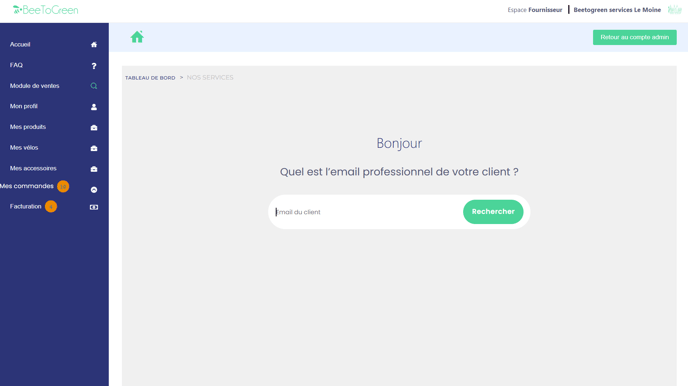
1️⃣ Enter the employee's professional email address
→ This email will be used to send the contract and payment link.
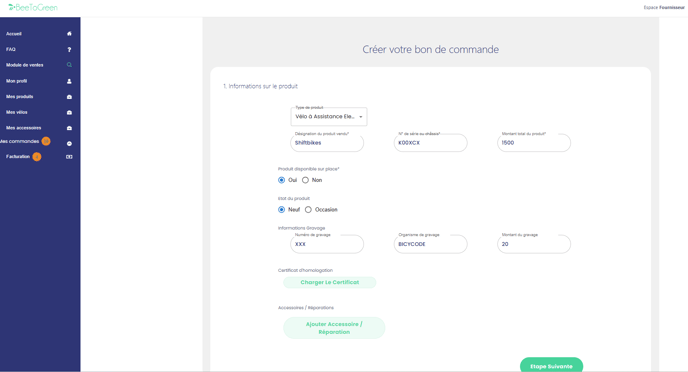
2️⃣ Add product information
→ Select the items to be rented (bike, e-scooter, accessories).
→ Fill in all mandatory fields.
ℹ️ Product not in stock?
→ If the product is not available in-store, check “Product available on site: No”
→ The serial number and engraving fields will then become optional.
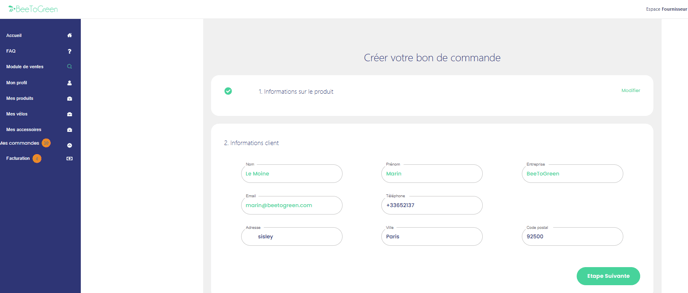
3️⃣ Verify customer information
→ The customer details are auto-filled.
⚠️ Ask the client to verify their phone number, as the payment link will be sent by SMS and email.
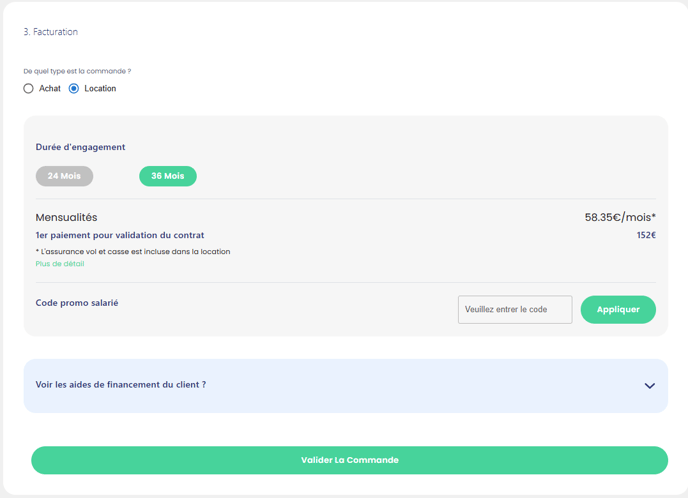
4️⃣ Payment / Billing
→ Choose the “Rental” option
→ Select the rental duration: 24 or 36 months
→ Confirm the order: a link will be sent to the customer to sign the contract and make the first payment (10% of the vehicle price)
✅ Once the payment is completed, you will receive a confirmation email.
✍️ How to validate a rental contract with BeeToGreen
Once the order is confirmed in the sales module:
-
The customer signs the contract online
-
They make the first payment (10% of the vehicle price)
-
They upload the required supporting documents:
-
ID
-
Payslip
-
Bank details (RIB)
-
Last tax return
-
Second payment method (for security)
-
📩 Once BeeToGreen has validated the documents and payment, you will receive a confirmation email, and you can proceed with the delivery of the bike to the client.