![image_white (1).png]](https://faq.beetogreen.com/hs-fs/hubfs/image_white%20(1).png?height=40&name=image_white%20(1).png)
To update your store information, follow these steps:
-
Log in to your supplier account.
-
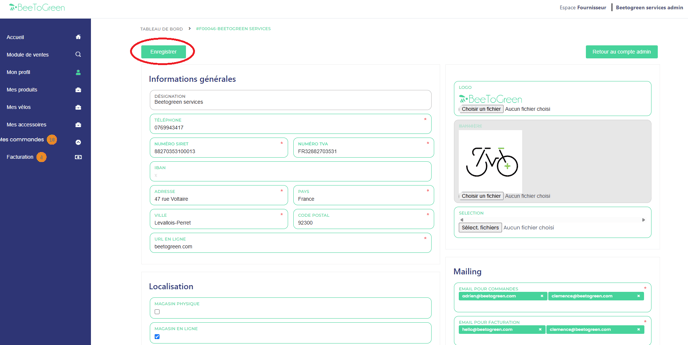
Go to the "My Profile" tab.
-
Update the general information for your store (except for the store name).
-
Make sure to update the email addresses used for gestion des commandes (order management) and facturation (invoicing).
📩 When adding an email address, press the "Enter" key to validate it.
✅ Don’t forget to click "Enregistrer (Save)" in the top left corner of the page after making your changes.