![image_white (1).png]](https://faq.beetogreen.com/hs-fs/hubfs/image_white%20(1).png?height=40&name=image_white%20(1).png)
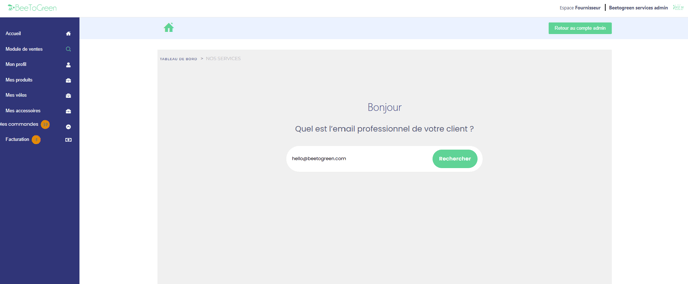
1️⃣ Enter the customer's professional email address
2️⃣ Fill in the product details
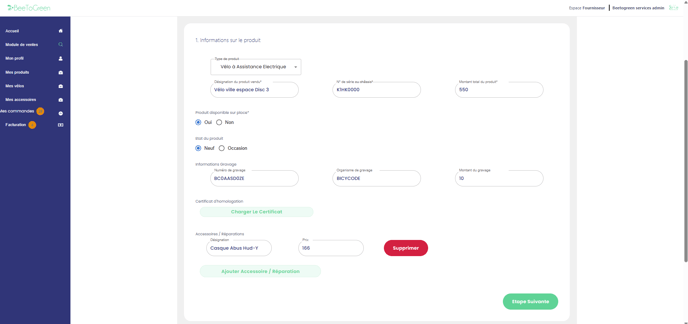
Enter the information related to the product(s) the customer wishes to purchase or rent. Make sure to fill in all required fields to proceed to the next step.
📌 Important note: If the product is not available in-store and needs to be ordered, select "Produit disponible sur place (Product available on-site) => No". This will make the engraving and serial number fields optional.
3️⃣ Customer information
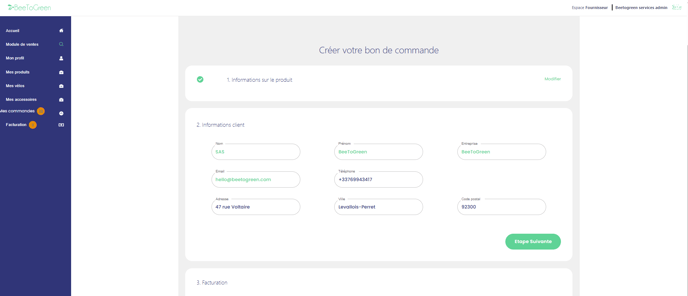
Customer details will be automatically pre-filled in the system.
⚠️ Please ask the customer to verify their phone number (the payment link will be sent to that number). 📱
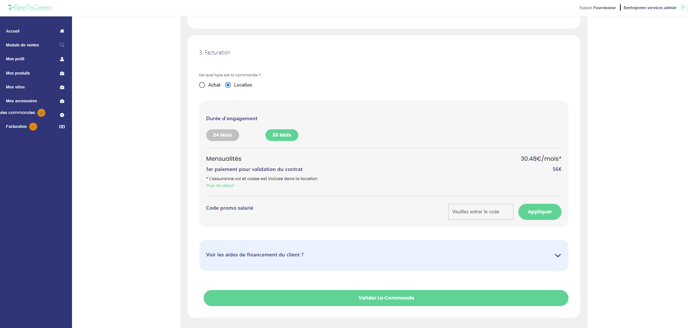
4️⃣ Billing / Payment
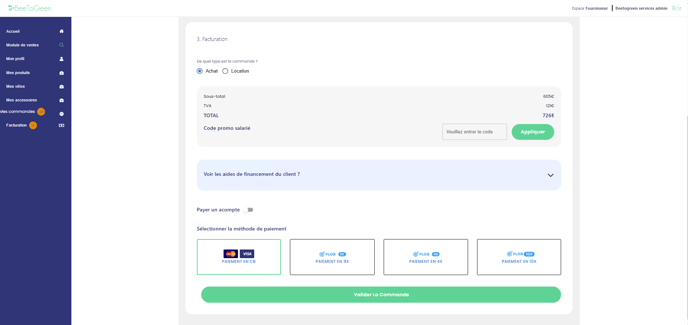
Choose the option selected by the customer achat ou location (purchase or rental).
-
For a purchase, click on the customer’s preferred payment method, then click "validate order". The customer will receive a payment link by SMS and email.
-
For a rental, select the desired commitment duration and validate the order. The customer will then receive a link via SMS and email to finalize their rental agreement.
✅ Once the payment is completed, you will receive a confirmation email.
💡 To understand how mobility voucher payments work, check out our dedicated article: How to process a payment with a mobility voucher?